
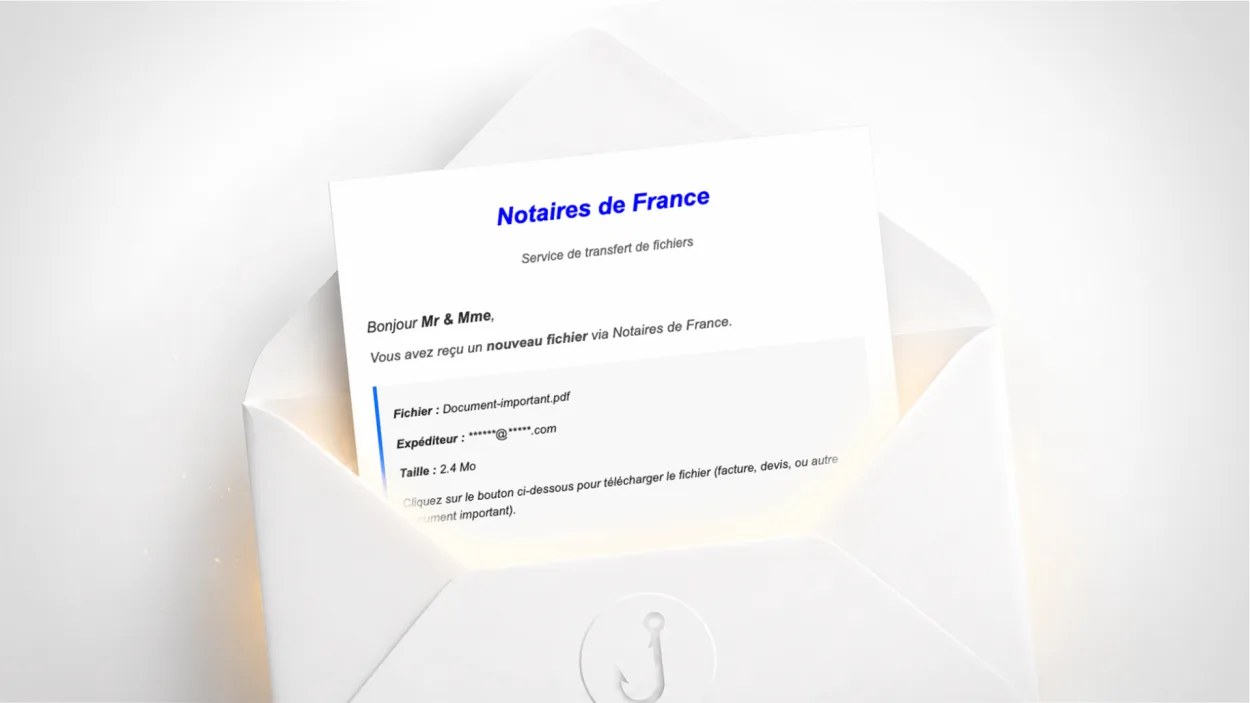
Have you received an email titled “Vous avez reçu une facture de…” (“You have received an invoice from…”) signed “Notaires de France” (the French notaries’ body), inviting you to download a file called Document-important.pdf? It is a scam. It is particularly well built, and the credentials entered on the fake page are sent to the scammers in real time via a Telegram bot. Here is how it works and what to do.
Is this Notaires de France email a scam?
Yes, unambiguously. The email does not come from Notaires de France. The displayed sender is lesnotaires@noreply.fr, but the real technical sender is www-data@managergram.com.com, a domain with a double .com.com typical of disposable domains set up quickly for fraudulent campaigns. SPF fails: the sending server is not authorised to send on behalf of noreply.fr.
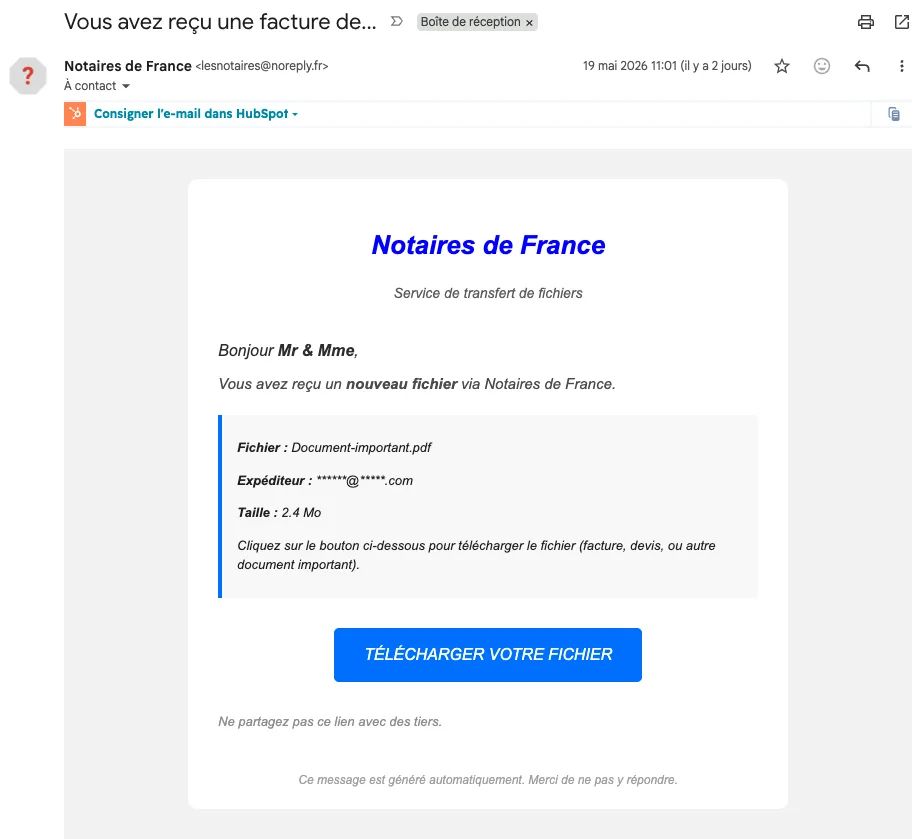
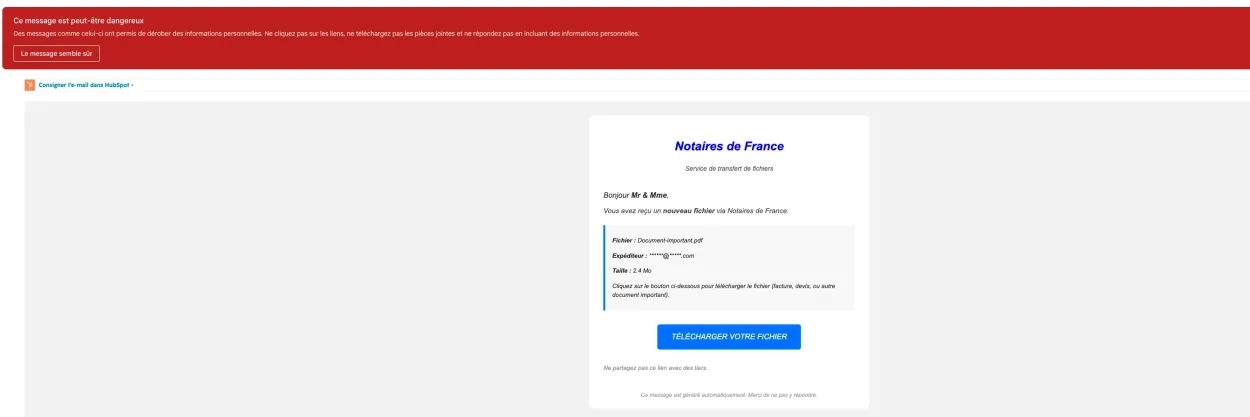
Gmail detected it too and displays a red warning banner as soon as it is opened: “This message seems dangerous.”
How does this scam work, step by step?
What sets this campaign apart from classic scams is the sophistication of its infrastructure. It uses several legitimate services as relays to get around security filters.
Step 1: the initial email. The message imitates the visual identity of Notaires de France with the official logo and a sober, professional layout, and mentions a 2.4 MB file called Document-important.pdf supposedly sent by a hidden address. The subject “You have received an invoice from…” is deliberately cut off to spark curiosity.
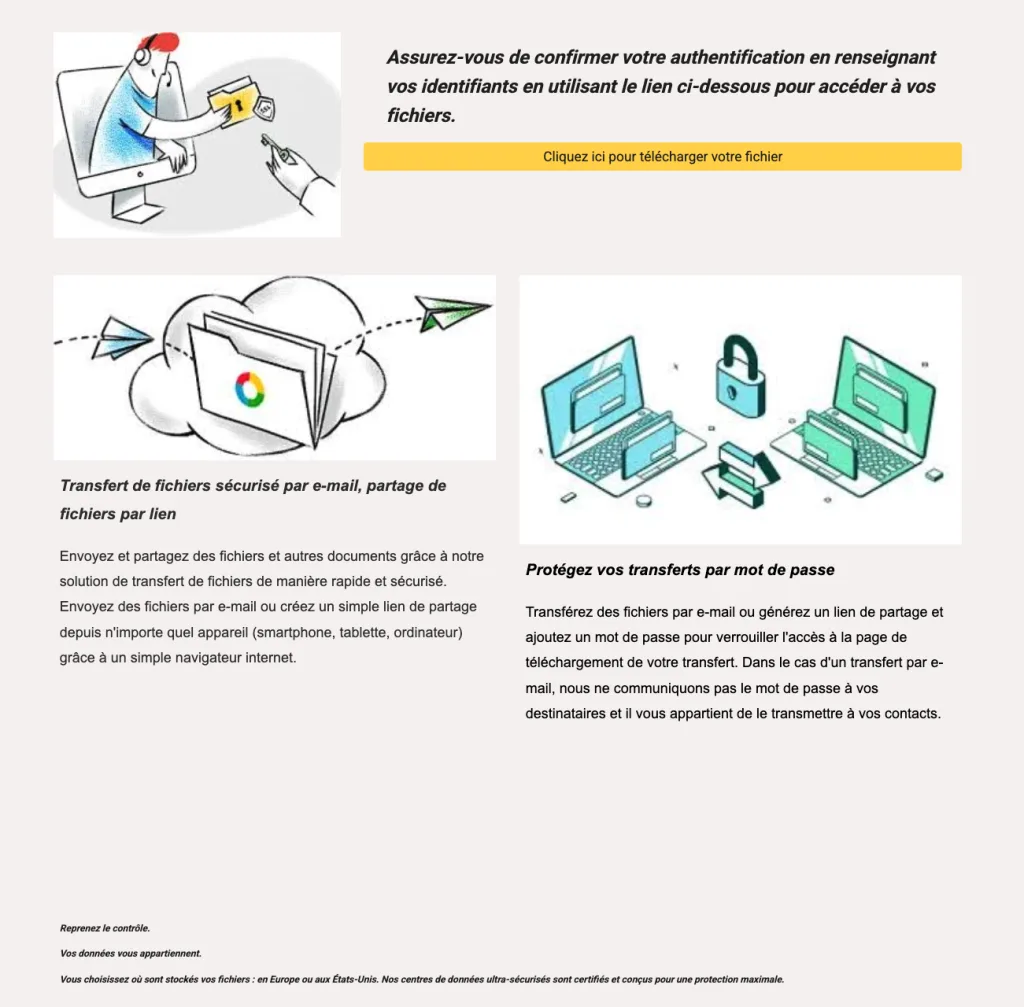
Step 2: Google Sites as the first relay. The “Download your file” button points to a page hosted on sites.google.com, Google’s free website builder. This is a deliberate choice: Google links are rarely blocked by spam filters, which lets the email through. The page displays a generic file transfer interface.
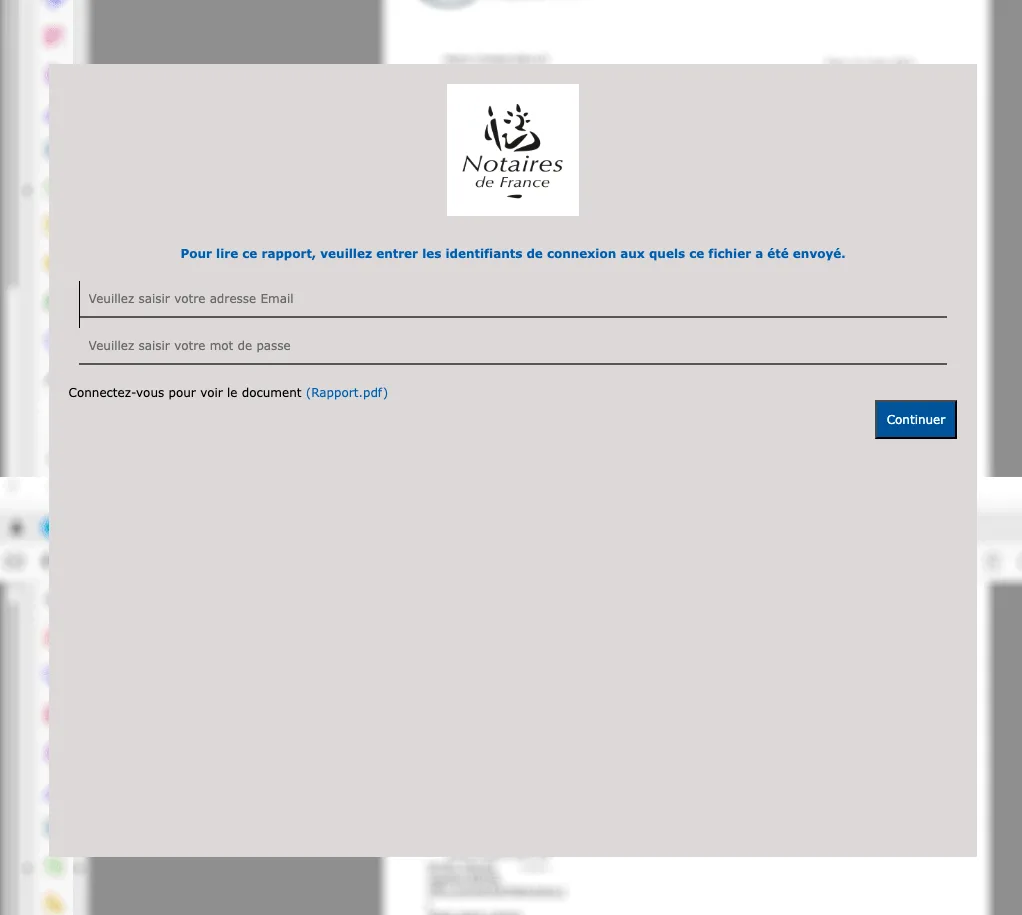
Step 3: the fake login page. One more click redirects to erttt-13c226c.ingress-alpha.ewp.live, temporary hosting that displays a fake login page in the colours of Notaires de France. The form asks for an email address and password to “access the document”. In the background, blurred fake notarial documents create an illusion of legitimacy.
Step 4: real-time exfiltration via Telegram. This is the most technically revealing point. As soon as you submit the form, your credentials are instantly sent to a Telegram bot called Sous2026bot, in a private group named “Factor2k26”. The message the scammers receive contains your email, your password, your IP address and the attempt number. After submission, you are redirected to google.com so as not to raise suspicion.
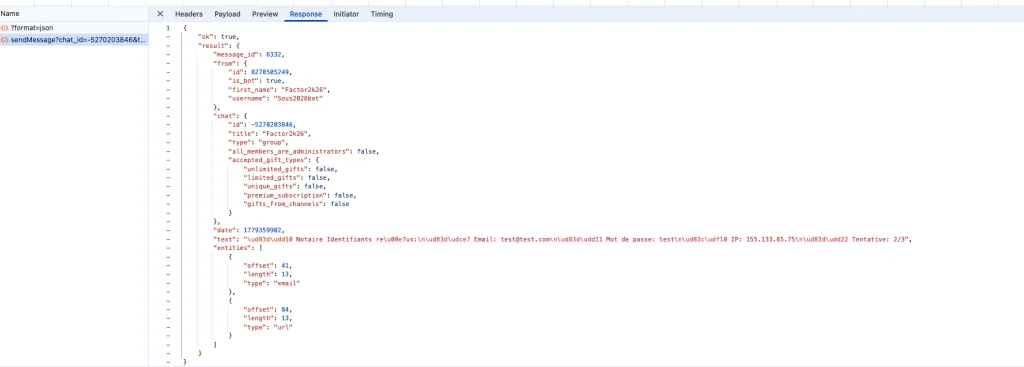
Using Telegram as an exfiltration channel is increasingly common in phishing kits: it is fast, encrypted, hard to block and accessible from any device.
Why is this scam dangerous beyond the document?
The main goal is not to get money from you directly, but to obtain an email and password combination. If you use the same password on several services (email, bank, social networks), the scammers can chain login attempts on other platforms. This is known as credential stuffing.
That is why using a unique password for each service is a fundamental rule of digital hygiene. A password manager lets you generate and store unique passwords without having to remember them. And enabling two-factor authentication on your important accounts makes a stolen password useless on its own.
How to check whether this email is legitimate
Notaires de France has an official file transfer platform, but it does not work through unsolicited emails with a generic file called Document-important.pdf. A real notarial document is sent to you in a context you know: an inheritance, a property sale, a mandate. You know why you are expecting a document.
If you are not expecting any document from a notary, the answer is simple: ignore it and delete it. If in doubt, call the notary’s office directly, using the number on your official letters or in the notaries’ directory available on notaires.fr.
What to do if you entered your credentials
If you entered an email address and password on the fake page, consider those credentials compromised and act immediately.
Change the password of the email account concerned first, from your email provider’s official app or website, without using any link received by email. Then check whether you use the same password on other services and change those too. See our guide on what to do if your email has been compromised for the full recovery steps.
Enable two-factor authentication on your mailbox if you haven’t already: even with your password, an attacker will not be able to access your account without the second factor.
Report the email on Signal Spam and, if you have suffered a loss, on Cybermalveillance.gouv.fr.
Frequently asked questions
Check the sender’s full address: Notaires de France does not send documents from @noreply.fr addresses with a real sender on an unknown domain. A real notarial document is part of a process you already know about. If you are not expecting any document, ignore the email.
Telegram is encrypted, hard to block and instantly accessible from any device. Modern phishing kits use Telegram bots to receive the credentials victims enter in real time, without having to run a dedicated server that could be detected and shut down quickly.
Immediately change the password of the account concerned from your email provider’s official website. If you use this password elsewhere, change it on all the services concerned. Enable two-factor authentication on your mailbox and report the incident on Cybermalveillance.gouv.fr.

Leave a Reply