
Exegol is a pentest environment built on Docker containers rather than virtual machines. The goal remains the same: providing an isolated, specialised and reproducible environment, with a few advantages over its competitors.
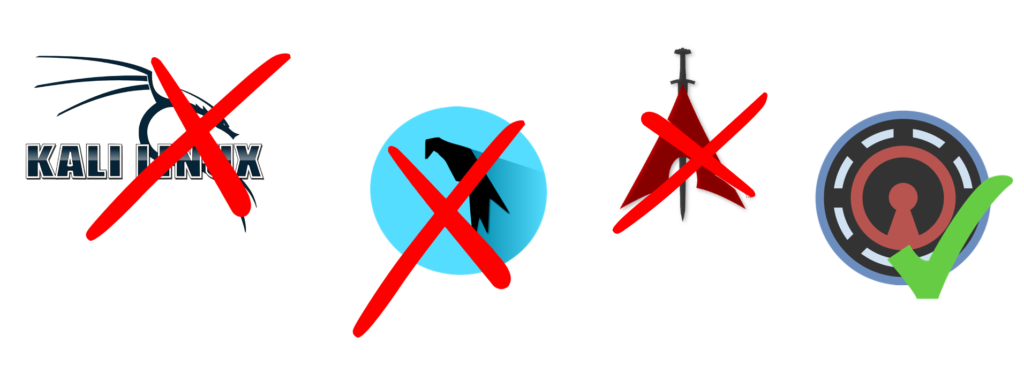
This project, started by Dramelac and Shutdown, has a clear goal: replacing the old environments and virtual machines running Kali Linux, Parrot OS or BlackArch.
Exegol is made for you, whether you are a beginner, a professional, a pentester, a CTF player, a bug bounty hunter, a researcher, or carrying out an information system security audit.
How does Exegol work?
Exegol is not a single monolithic component, but rather a project that can be broken down into three pillars:
- The Python wrapper: the central entry point for interacting with Exegol. This layer talks to Docker, Git and so on. Its purpose is to make Exegol easier to use while ensuring interoperability and compatibility. In theory, you don’t need to know Docker or Git, although I strongly recommend learning them. The wrapper manages images, containers and the VPN;
- Docker images: one of Exegol’s strengths is its set of ready-made images;
- resources: as on a Kali operating system, you get a varying amount of resources available offline (depending on the configuration you use: default, custom, etc.). They range from scripts such as WinPEAS, LinPEAS and LinEnum for privilege escalation to wordlists for your reconnaissance phase.
Contrary to popular belief, you can have a graphical environment inside a container by installing an X11 server on your host, with keyboard, mouse and display support. Exegol comes preconfigured to work with it.
Exegol’s advantages
Exegol has many advantages, including:
- Size: containers are lighter than virtual machines by design, because you don’t virtualise the hardware layer, and they share the operating system with the host. A container with the same set of tools as a VM will take up less space.
- Speed: since a container shares the host’s operating system, it starts extremely fast, unlike a virtual machine, which has to boot its own OS.
- Flexibility: you can create many Exegol containers, each with its own specific setup, and easily share them or run several at once.
- Cross-platform: any device that supports Docker can run Exegol. Gone are the days when everyone had their own VM on their own hypervisor, with a bug none of their colleagues had ever seen, wasting precious time. Exegol supports several operating systems and architectures: macOS, Windows, Linux, ARM64 and AMD64.

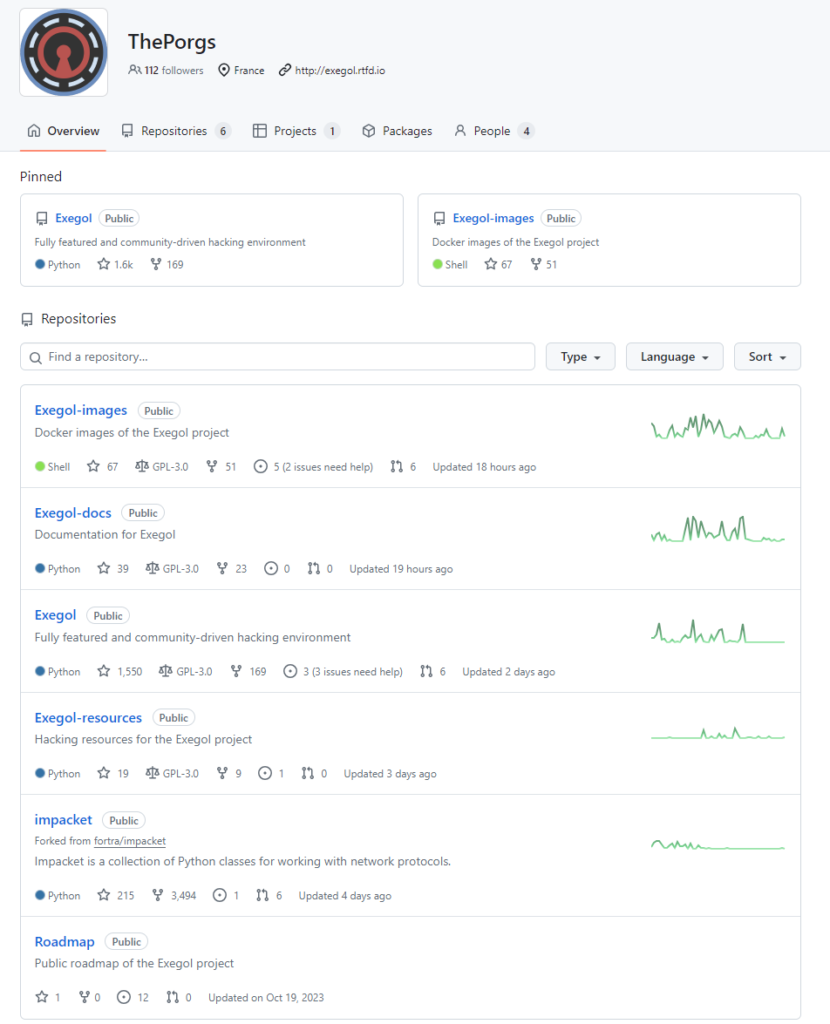
- Community-driven: Exegol is open source and its roadmap is decided and managed by the community. Anyone can contribute, suggest ideas, report bugs or, even better, fix them. The community is active, which is essential in this field: at the time of writing, the latest “dev” release was a day old and the stable release less than five months old. Far from being a niche tool for a handful of dissenters, it has passed 116k downloads. The “ThePorgs” GitHub account is a perfect illustration.

Exegol images
Exegol images, which are in fact Docker images, are hosted on Docker Hub. There are six of them:
| Image | Description |
| Full | The heaviest of the stable images. As its name suggests, it includes every tool supported by Exegol, although you can still add others. |
| Ad | Again, we like things simple: this image is dedicated to Active Directory. |
| Web | For web pentesting. |
| Light | This image contains the most useful tools, trading completeness for a smaller footprint. |
| OSINT | Includes all the relevant tools for OSINT. |
| Nightly | The least stable and heaviest of all the images, but with the latest updates. |
You can also build your own images, or start from an existing one and improve it.
Minimum requirements
You probably already know almost everything Exegol requires:
- Git: to fetch the code from remote servers.
- Docker: to interact with containers.
- Python: to run the wrapper, which relies on the two previous items.
- 20 GB: the minimum storage if you use the “light” image.
User experience
Beyond the wrapper mentioned earlier, a host of things come preinstalled.
There’s ZSH (Z Shell), an extended version of SH with many advanced features. On top of it sits Oh My Zsh, an open-source framework for configuring ZSH, with powerful plugins and beautiful themes.
Autocompletion of the most relevant commands and command history are well implemented. To launch a graphical Firefox, just start typing “Fire” and accept the suggestion:

exegol-default /workspace # firefox &> /dev/null &One important point, especially for pentesters: Exegol has the concept of a workspace. It’s a persistent volume shared between your host and your container. By default, ~/.exegol/workspaces/ on the host is mounted to /workspace in the container.
~/.exegol/workspaces/:/workspaceAll of this can be tailored to your liking through “My resources”, available in every container under “/opt/my-resources”. You can configure pretty much everything: BloodHound, vimrc, tmux, Firefox add-ons, certificates and more.
Commands to know
Install or uninstall an image
exegol install
exegol uninstall
Create, start or enter a container
exegol startIf you start a container with an image that isn’t installed yet, the wrapper installs it, just as if you had run exegol install first.
Stop or remove a container
exegol stop
exegol remove
Get information about images, containers, the Exegol version and useful links
exegol infoUpdate the wrapper
exegol updateIf you installed it with pip, run:
python3 -m pip install --upgrade exegolGet help
exegol --helpExegol documentation
Exegol’s documentation is hosted on readthedocs.io and is very well written. It covers everything in this article and much more, including advanced commands. Like the Exegol-docs GitHub project, it lists the available services, resources and tools.
Tools included in Exegol
You’ll find the full list of tools here. Here are a few of them:
| Tool | Description |
| binwalk | A tool for extracting, analysing and reverse engineering firmware images. |
| gobuster | Used to brute-force URIs on websites and enumerate DNS subdomains, with wildcard support. |
| Owasp ZAP | Open-source web application security scanner |
| hashcat | Advanced password recovery tool. |
| John the Ripper | Password cracking software. |
| sqlmap | Automates the detection and exploitation of SQL injection (SQLi) vulnerabilities. |
| Nmap | Network auditing and scanning tool. |
| Metasploit | Pentest framework for detecting and exploiting vulnerabilities. |
| Wireshark | Network protocol analyser for inspecting network activity in detail. |
| BloodHound | Uses graph theory to reveal relationships within an Active Directory environment. |
| Burp Suite | HTTP proxy with a range of built-in tools for web application security testing. |
| amass | Tool for attack surface mapping and external asset discovery through DNS enumeration. |
| aircrack-ng | Suite of tools for wireless network penetration testing. |
| abuseACL | A Python script that automatically lists vulnerable Windows ACEs/ACLs. |
And many more!
How to install Exegol
This section shows just how easy it is to install Exegol. If you run into a problem, check the full installation guide.
First, make sure the requirements mentioned earlier are installed (Git, Docker, Python, etc.).
There are three main ways to install Exegol: with pip, from source or with pipx.
With pip
This is the simplest method:
python3 -m pip install exegolFrom source
Choose this method if you want to switch branches and contribute to the project. Clone the repository hosted on GitHub:
git clone "https://github.com/ThePorgs/Exegol"Then install the Python dependencies the project needs:
python3 -m pip install --user --requirement "Exegol/requirements.txt"With pipx
pipx installs Exegol in a separate virtual environment.
pipx from source
pipx install git+https://github.com/ThePorgs/Exegolpipx from PyPI
pipx install exegolAdding Exegol to your PATH
If you installed Exegol with pip or pipx, it’s already in your PATH.
If you installed it from source on Linux or macOS, create a symbolic link:
sudo ln -s "$(pwd)/Exegol/exegol.py" "/usr/local/bin/exegol"On Windows, open PowerShell:
if (!(Test-Path -Path $PROFILE)) {
    New-Item -ItemType File -Path $PROFILE -Force
}

echo "Set-Alias -Name exegol -Value '$(pwd)\exegol.py'" >> $PROFILE
To check that Exegol is in your PATH, simply type “exegol” (or exegol info) in your terminal. You may need to log out and back in to reload the PATH.
➜ exegol
usage: exegol [-h] [-v] [-q] [-k] [--offline] [--arch {amd64,arm64}]
              {start,stop,restart,install,update,uninstall,remove,exec,info,vers
ion}
              ...
A real-world example on Hack The Box
Here is a practical Exegol one-liner you can use, on an environment you are authorised to test, of course. What better playground than Hack The Box for this example?
To tackle a challenge or pentest a machine, you need to join the VPN. At the same time, I want to mount the workspace directory to my Downloads folder to exchange files.
exegol start app full -V "/Users/thibault/Downloads/:/workspace" --vpn /Users/thibault/Downloads/lab_thibault.ovpnExplanation:
- app: the name of my container.
- full: the Exegol image used.
- -V (or –volume): shares a volume between the host and the container.
- –vpn: loads the OpenVPN configuration file when the container is created.
Key takeaways on Exegol
As you may have guessed, Exegol has been my main environment for several months now, and I’m delighted with it. I hope this article makes you want to try this new approach to pentesting and auditing. I’ll keep it updated, since the community moves fast. If you’re interested, you can join the Discord server, which already has more than 1,700 members: the ideal place to report issues, get help and follow new releases.
Containers aren’t only useful for offensive work: the same isolation logic applies to AI coding agents, as I explain in my article on sandboxing Claude Code with Docker sbx.

Leave a Reply