
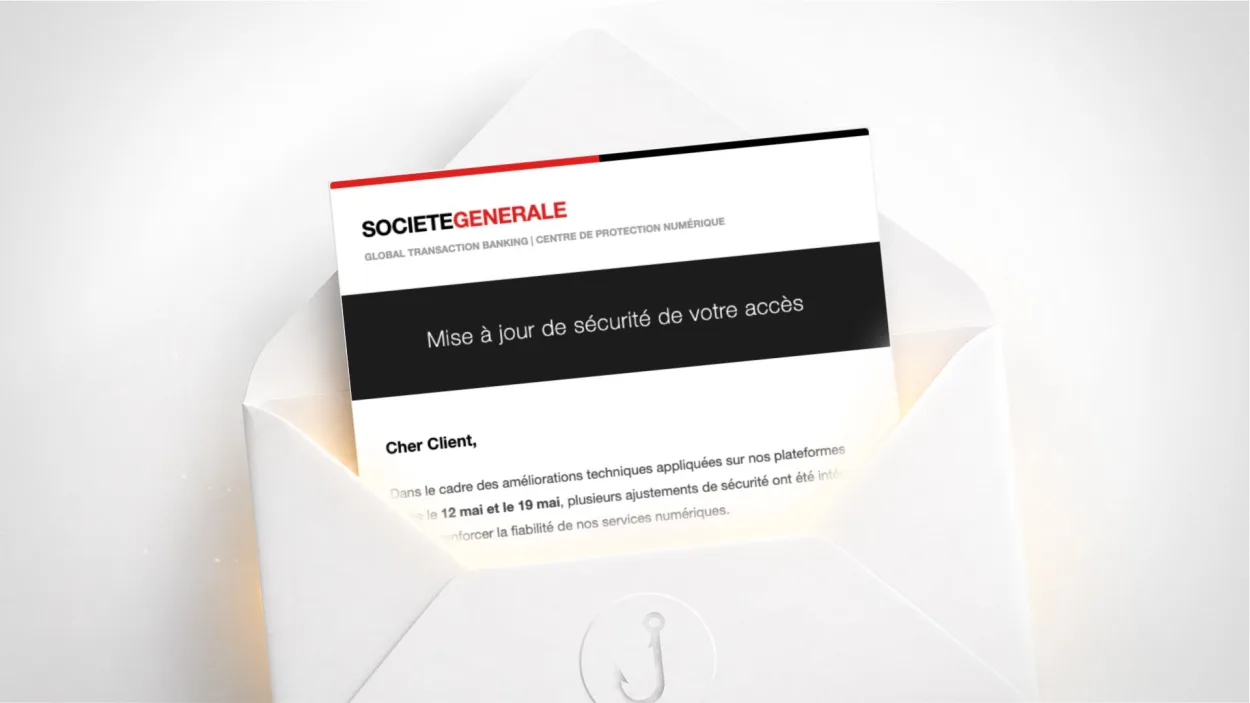
Have you received an email signed “Société Générale – Global Transaction Banking” asking you to “confirm your main device” following a security update between 12 and 19 May? It is a scam. It is also one of the most sophisticated in the series: it passes standard email authentication checks and uses a Twitter link as a relay to hide its real destination.
Is this Société Générale email a scam?
Yes. The displayed sender is SG Pro <support@relaxdiffusionemoda.com>, a domain with no connection to the French bank Société Générale. The “Confirm device” button redirects to t.co (Twitter) and then to mailinfra-1.onderwegnaarjapan.nl, a Dutch domain that literally means “on the way to Japan”, again unrelated to the bank.
Société Générale only sends its emails from @societegenerale.fr or @sg.fr domains.
Why is this email particularly dangerous?
It is the only email in this series to pass both SPF and DKIM, the two reference email authentication mechanisms. In practice, this means classic spam filters do not block it on technical grounds: it lands in the inbox, not in spam, looking like an authenticated email.
The explanation is that the scammers configured their own domain relaxdiffusionemoda.com with valid SPF and DKIM records. The domain is technically legitimate, even though it has no connection to Société Générale. This technique is increasingly common: rather than spoofing an existing domain (which filters detect), attackers create their own innocuous-looking domains and configure them correctly.
The email is sent via PowerMTA, professional bulk email routing software used by legitimate companies, which further improves deliverability and lowers the spam score.
How does the redirect link work?
The “Confirm device” button points to https://t.co/Tw0Jda03tn, a link shortened via Twitter/X. This choice is deliberate: t.co links are rarely blocked by spam filters because Twitter is a globally trusted platform. It is the same technique as the use of Google Sites seen in the Notaires de France campaign: exploiting a legitimate service’s reputation as the first relay.
The final redirect lands on mailinfra-1.onderwegnaarjapan.nl/activation?token=SG20260516TR26. The token in the URL is a campaign identifier: SG for Société Générale, 20260516 for the launch date, TR for tracking. This structure lets the attackers track precisely which email addresses clicked, and when.
What signs give this email away?
Despite its technical sophistication, several visible clues let you identify it without analysing the headers.
The sender address. support@relaxdiffusionemoda.com has nothing to do with Société Générale. When you display the full address in your email client, the domain does not match societegenerale.fr or sg.fr.
No personalisation. The email is addressed to “Dear Customer” with no first name, account number or branch. Your bank knows you and personalises its communications.
The internal contradiction. The email’s own footer contains the following warning: “Société Générale will never ask for your confidential information via a direct link or an electronic message.” The scammers copied the bank’s official legal notices without realising they contradict the very purpose of the email.
The generic pretext. “Technical improvements between 12 and 19 May” is a vague, unverifiable pretext designed to sound credible without being contradicted.
How to check whether your Société Générale account really requires action
Log in directly on particuliers.societegenerale.fr by typing the address into your browser yourself. If an action really is required on your account, it will appear in your customer area as a notification or a message in your secure internal inbox. You can also call customer service on the number printed on the back of your bank card.
Never click the button in a banking email to access your customer area. Always type the address yourself. It is the most effective and simplest rule to apply, however sophisticated the email you received.
What to do if you clicked and entered your credentials
If you clicked “Confirm device” and entered your banking credentials on the page, call Société Générale immediately to report that your access has been compromised and have your online account blocked. Check your recent transactions for any suspicious activity.
Also change the password of your main email address, as attackers often try to access the mailbox linked to the bank account next to intercept notifications. Our guide on what to do if your email has been compromised details the steps to follow. Enable two-factor authentication on your mailbox if you haven’t already.
Report the email on Signal Spam and file a report on Cybermalveillance.gouv.fr. If you have suffered a financial loss, file a complaint with the police.
Why are banks the favourite target of phishing?
Banks hold exactly what attackers are after: credentials giving access to accounts with available funds and the ability to make transfers. A well-built banking phishing kit can generate immediate gains, unlike stolen email credentials, which require extra steps.
Société Générale is not an isolated case. BNP Paribas, CIC, Crédit Agricole and La Banque Postale are constantly targeted by similar campaigns, as shown in our article on CIC phishing. To strengthen your overall protection, see our digital hygiene rules and remember to better protect your email address to limit your exposure to this type of campaign.
Frequently asked questions
Check the sender’s full address: Société Générale only sends its emails from @societegenerale.fr or @sg.fr. Be wary of any email asking you to ‘confirm your device’ or ‘validate your access’ via a link: always log in directly on particuliers.societegenerale.fr by typing the address yourself.
Yes. SPF and DKIM check that the email was sent from a server authorised for the sender domain, but they do not check that this domain has any connection with the organisation being imitated. An attacker who creates their own domain and configures it correctly can pass both checks while copying a bank’s visual identity.
t.co links (the Twitter/X shortener) are rarely blocked by spam filters because Twitter is considered a trusted service. This lets attackers hide the real destination of the link while getting around blocklists. The final destination is a malicious domain that would not have got through directly.

Leave a Reply