
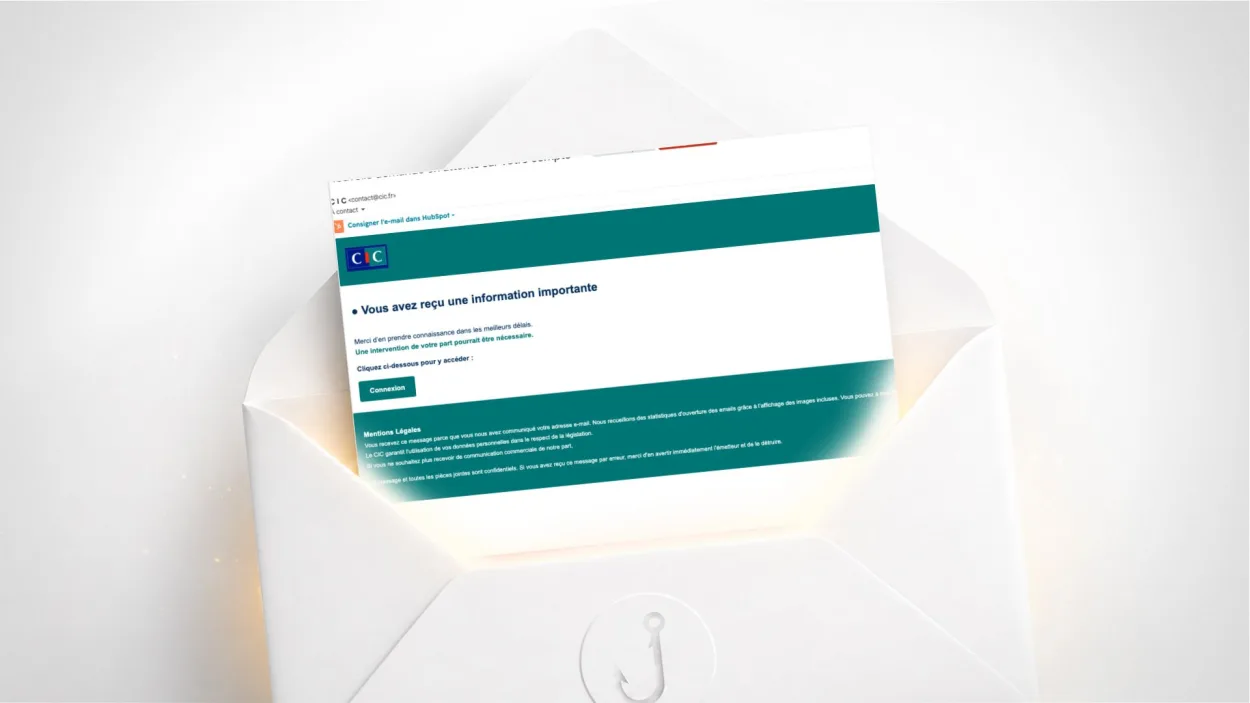
Have you received an email from CIC titled “Nouvelle demande en attente sur votre compte” (“New request pending on your account”), with a “Log in” button and a vague message asking you to act quickly? It is a scam. The email copies the French bank CIC’s visual identity but does not come from the bank. Here is how to check and what to do.
Is this CIC email a scam?
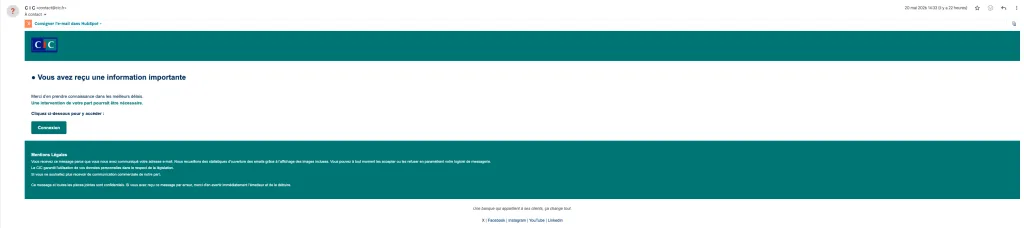
Yes. Despite appearances, this email does not come from CIC. It uses a technique called display name spoofing: the displayed sender is C I C <contact@cic.fr>, but the real sending address is a domain with no connection to the bank. The “Log in” button points to a malicious domain that was already on spam blocklists when the email was sent.
If you are not a CIC customer, the answer is even simpler: ignore it and delete it.
How does this scam work?
The content of the email is deliberately vague: “you have received important information”, “action on your part may be required”. No details about the nature of the request, no account number, no transaction mentioned. This vagueness is intentional: it pushes you to click out of curiosity rather than fear, and it allows the same email to be sent to millions of people without needing any personal information about the victims.
The layout faithfully reproduces CIC’s colours and typography (teal background, logo, the slogan “A bank owned by its customers changes everything”), which can fool you at first glance.
How to detect display name spoofing
Phishing using display name spoofing is one of the most widespread techniques because it exploits the way most email clients display messages: they show the sender’s name first, not their real address.
To see the real address, click on the sender name shown in your email client. In Gmail, a chevron or a click on the name reveals the details. In Outlook, clicking the name shows the full address. CIC only sends its emails from @cic.fr addresses. Any other domain in the real address confirms the scam, even if the displayed name is “C I C”.
In this email, three technical signals confirm the fraud without even looking at the content:
SPF fails: the sending server is not authorised to send emails on behalf of cic.fr. This is a check your mail server performs automatically in the background.
DKIM fails: the email’s cryptographic signature is invalid, meaning the email was not signed by CIC’s servers.
The destination link points to a malicious domain already present on spam blocklists when the email was sent.
How to check whether your CIC account really has an alert
Never use the links in a suspicious email to access your bank. Open your browser, type cic.fr yourself, log in with your usual credentials and check your internal messages or notifications. If a real request is pending, it will appear there.
You can also call CIC customer service on the number printed on the back of your bank card or on your contract, never a number found in an email.
What to do if you clicked “Log in”
If you clicked but did not enter anything, the risk is limited. Close the page immediately.
If you entered your CIC credentials on the page, act right away: call CIC to report that your access has been compromised, have your online access blocked and change your password from the official site. Also check your recent transactions for any suspicious activity. To learn more about two-factor authentication, which would have limited the risk even if your credentials were stolen, see our dedicated guide.
If you shared bank details or authorised a transaction, call your bank immediately to block your card. See also our article on what to do if your email has been hacked, as attackers often target the email address linked to the bank account next.
In all cases, report the email on Signal Spam and on Cybermalveillance.gouv.fr.
Why are these banking emails so common?
Banks are prime targets for phishing because the financial stakes push people to act fast. CIC is not the only bank affected: BNP Paribas, Société Générale, Crédit Agricole and La Banque Postale are constantly targeted by similar campaigns.
The rule is the same whatever the bank: a legitimate banking email never asks you to click a link to log in urgently. Your bank communicates through its internal messaging system, which you can only access after logging in on its official site. If you regularly receive this type of email, improve your digital hygiene by applying a few basic rules. Also remember to protect your email address to limit your exposure to this type of campaign.
Frequently asked questions
Display the sender’s full address in your email client: CIC only sends from @cic.fr addresses. Then check the URL behind the links before clicking. If in doubt, log in directly on cic.fr by typing the address into your browser yourself.
Display name spoofing means showing a credible sender name (such as ‘C I C’) while using a real email address that has no connection with the organisation being imitated. Most email clients show the name first, which hides the fraudulent address at first glance. Clicking the sender name reveals the full address.
Call CIC immediately to report that your access has been compromised and have your online account blocked. Check your recent transactions and report the incident on Cybermalveillance.gouv.fr. If fraudulent transactions have taken place, file a complaint with the police.

Leave a Reply