
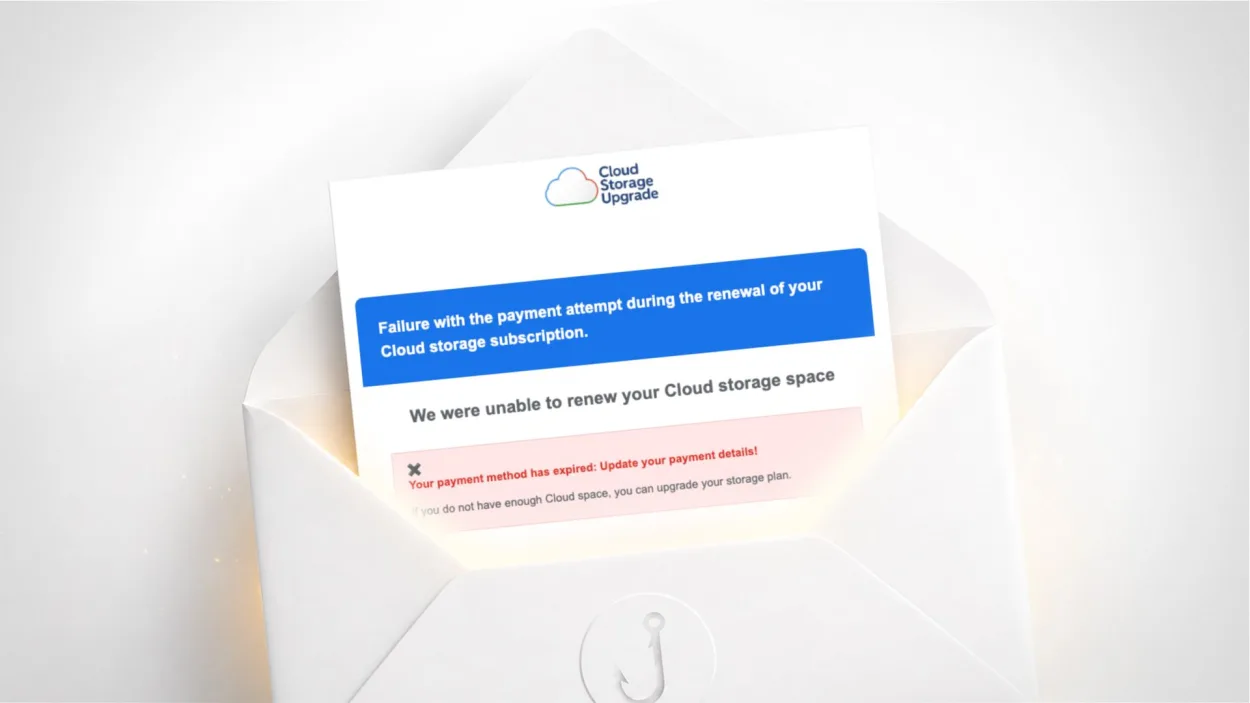
Have you received an email titled “Only 1 Day Left to Prevent Deletion” or “Failure with the payment attempt during the renewal of your Cloud storage subscription”? It threatens to delete all your data within 12 hours unless you update your payment method. It is a scam. Here is how to recognise it and what to do.
Is this “cloud storage” email a scam?
Yes, without exception. No legitimate cloud storage service (Google One, iCloud, OneDrive, Dropbox) sends emails from random domains like mentbufidendebakoa.com. This campaign is actively circulating in 2026 and targets French- and English-speaking users alike.
Your first reflex should be to look at the sender’s address. In the documented cases, it looks like arafdslqnt@mentbufidendebakoa.com: a string of random characters on an unknown domain. Google, Apple and Microsoft send their emails from @google.com, @apple.com or @microsoft.com. Any other domain is an immediate red flag.

Why is this email particularly misleading?
Several elements are designed to make you act fast without thinking.
The subject line uses emojis on each side and a precise deadline (“05-20-2026 + 12hours”) to create artificial pressure. The layout loosely imitates Google or Apple’s visual codes with a blue button and a generic “Cloud Storage Upgrade” logo. The message even mixes both worlds in the same email: it talks about a generic “Cloud Storage”, then mentions Apple and its servers in the next paragraph, without ever naming a specific service.
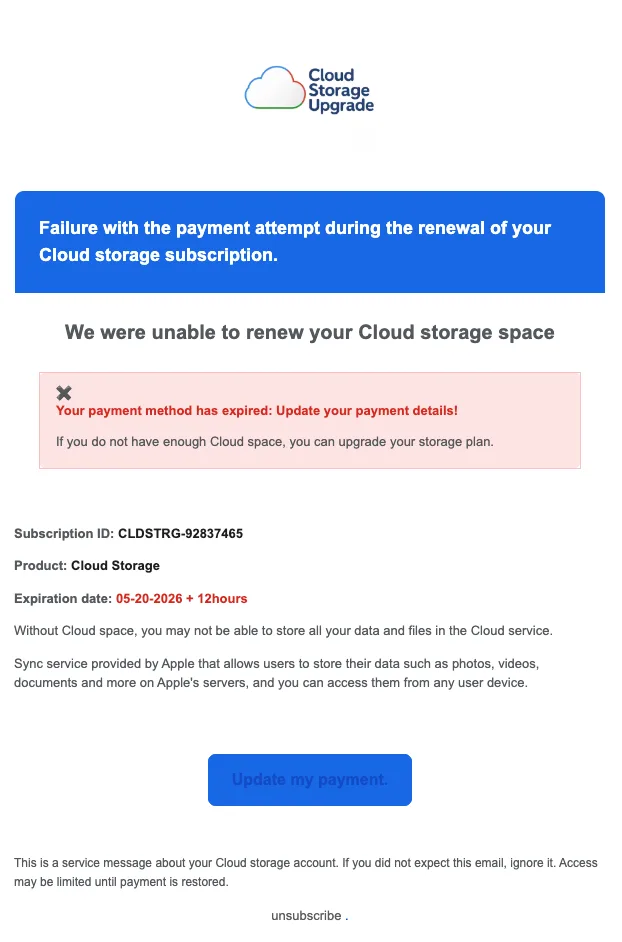
It is precisely this vagueness that gives the scam away. A real Google One email says “Google One”. A real iCloud email says “iCloud”. An email that talks about “Cloud Storage” without further detail comes from no real service.
The sender is also presented as “Cloud Storage Alert”, with the mention “sent by Trusted Sender” in some email clients, a technique to get around spam filters by exploiting compromised legitimate email routing services.
Where do the links in this email lead?
The “Update my payment” button points to a random subdomain such as hzpbgbyxcszdoggjnrrfv.kalbanoura.store, flagged as “Not Secure” by Chrome itself, meaning the site does not even have a valid HTTPS certificate. A legitimate payment page never exists without HTTPS.
The final redirect goes through a tracking link such as trk.rubber-additional-beautiful-cow.run, a randomly generated domain used to hide the real destination and get around blocklists. The end goal is a page that collects bank details under the pretext of renewing a subscription.
In the case documented here, the malicious site was already offline at the time of testing, which is common: these campaigns use disposable domains that are active for a few days and then abandoned to launch new ones.
How to check whether your cloud storage is really full
Never use the links in a suspicious email. Check directly from your device or browser:
For iCloud: on iPhone, go to Settings > your name > iCloud. On Mac or PC, log in on icloud.com. Your used storage is shown on the home page.
For Google One: log in on one.google.com or check drive.google.com. Available storage is shown at the bottom left.
For OneDrive: log in on onedrive.live.com. Storage is shown at the bottom of the sidebar.
If your storage really is full, you will see it there, with an official message and a link to the service’s own plans, not to an unknown domain.
What to do if you clicked
If you clicked the link but did not enter anything, the risk is limited. Close the page and do not go back to the link.
If you entered bank details on the page, call your bank right away to block your card. In France, any fraudulent card debit can be refunded under certain conditions, provided you report it quickly.
In all cases, report the email on Signal Spam and, if you are a victim, on Cybermalveillance.gouv.fr.
Frequently asked questions
Check the sender’s address: Google, Apple and Microsoft only use their own domains (@google.com, @apple.com, @microsoft.com). An email from an unknown domain is a scam. Then check the status of your storage directly on the service’s official site, without using the links in the email.
No. If you received this email, your data is not at risk. Check the real status of your storage by logging in directly on icloud.com, one.google.com or onedrive.live.com. If your storage really is full, the service will tell you through its official app or a verifiable email address.
Call your bank immediately to block your card. In France, fraudulent card debits can be refunded if you report them quickly. Then file a complaint with the police and report the scam on Cybermalveillance.gouv.fr.

Leave a Reply